Dev Tracker · for VS Code, Cursor, VSCodium and Windsurf
The help you give every week, finally on record.
Start a session when a teammate or a client needs you, finish it when they are unblocked. Client, project, ticket, Git branch, outcome and duration, kept on your machine and exported to CSV for a report or an invoice.
VS Code Marketplace · Open VSX for Cursor, VSCodium and Windsurf
Why I built it
The best technical work disappears into calls and threads
A teammate cannot run the project. A client’s deploy is red. A junior needs forty minutes on the outbox pattern. A good part of every week goes into this kind of help, and at the end of the month none of it is anywhere: not in Git, not in the tickets, not in the invoice.
So I built a log that lives where the help happens: one command to start, notes while you work, and the proof when you finish.
Ciro Cesar Maciel, who builds and maintains it
How it works
From a call for help to a line in the report
1
Start
Client and project prefilled; pick a category and a priority and type the ticket.
2
Work
Notes go in while you help; the status bar shows who you are helping.
3
Finish
Resolved, Partial, Blocked or Escalated, and one sentence of summary.
4
Export
CSV or JSON, one row per session, for a spreadsheet, an invoice or a client report.
See it in action
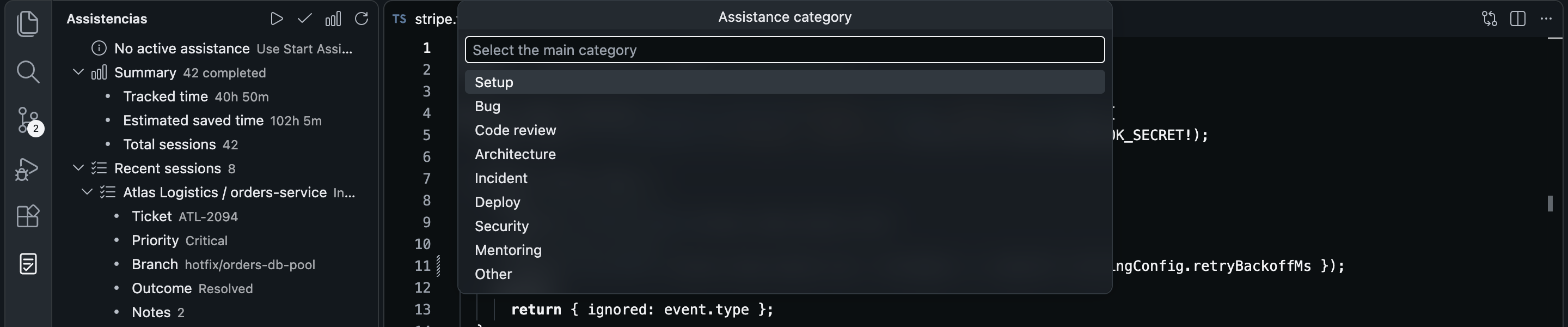
Start a session in seconds
Client and project come prefilled. Pick a category: setup, bug, code review, architecture, incident, deploy, security, mentoring.
And then
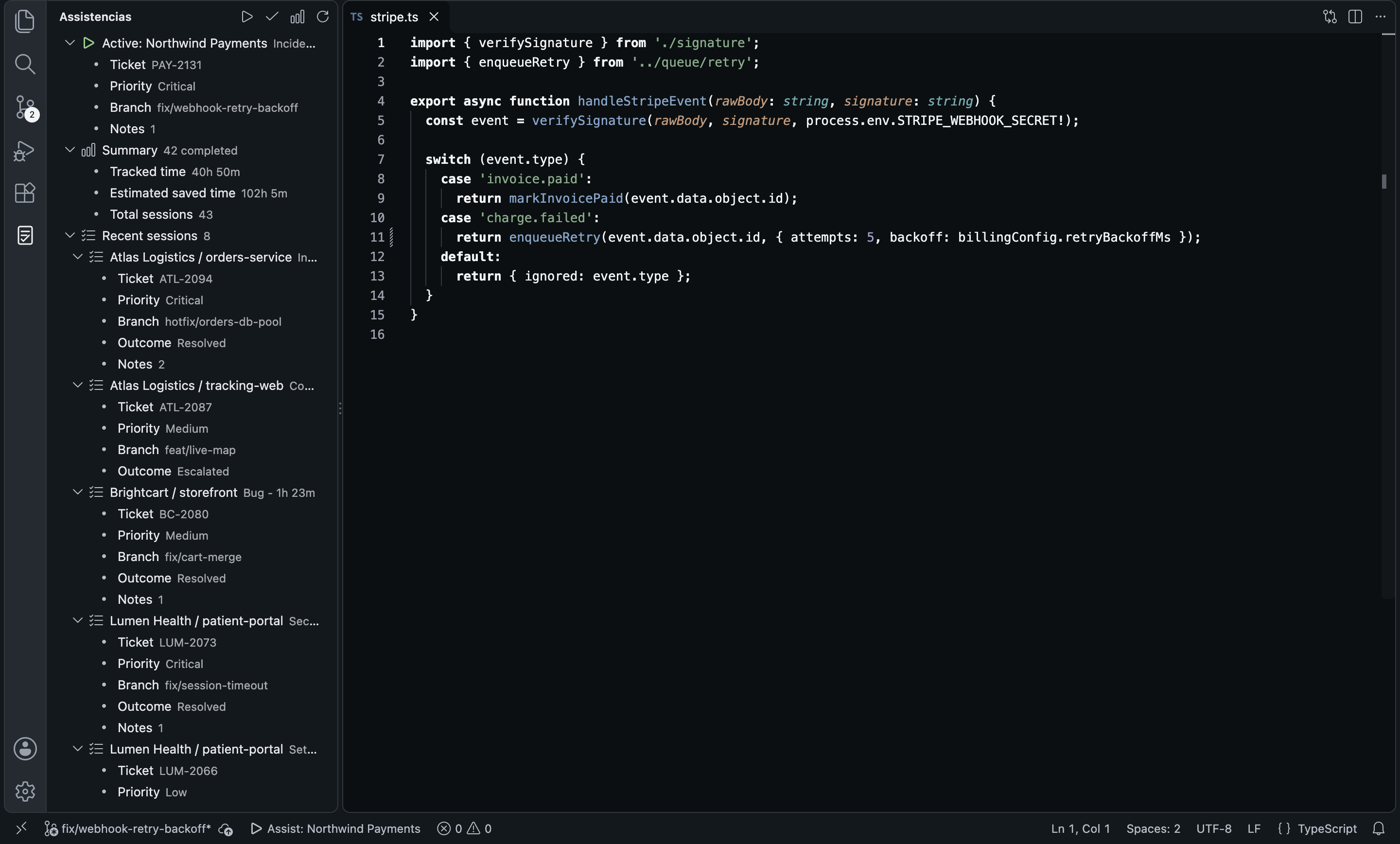
Always one glance away
The active session at the top of the side bar, with ticket, priority, branch and notes, and the month’s totals below.
And then
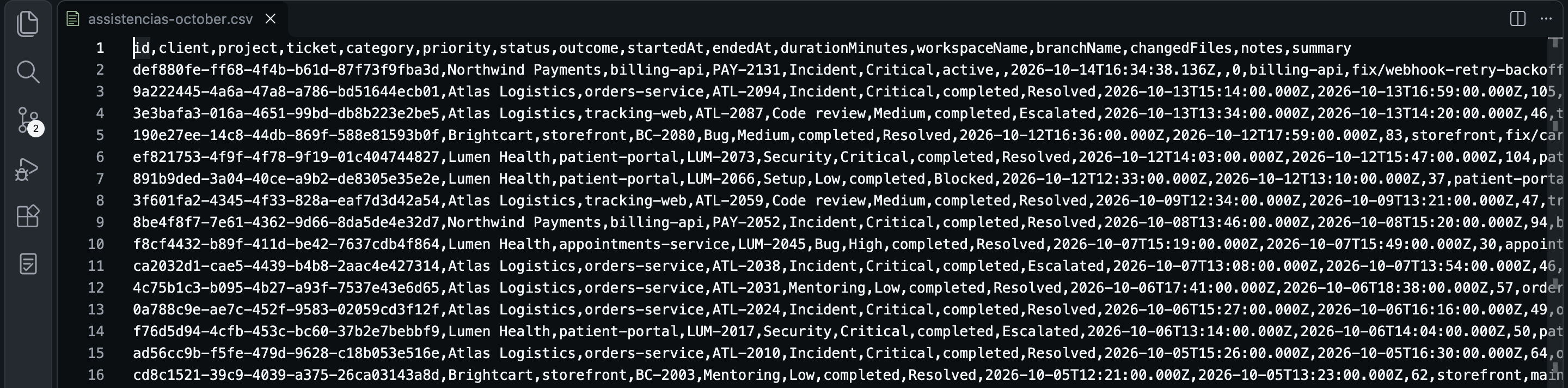
Numbers you can hand over
One row per session: client, project, ticket, category, outcome, duration, branch, changed files, notes and summary.
Everything in it
It logs help, not keystrokes
Sessions, not surveillance
Nothing is recorded until you start a session.
Context without typing
Project from the workspace, client from your default, branch read at the start.
Proof at the end
The outcome, a one-line summary, the duration and the files Git shows as changed.
One glance away
Side bar and status bar always show what is running.
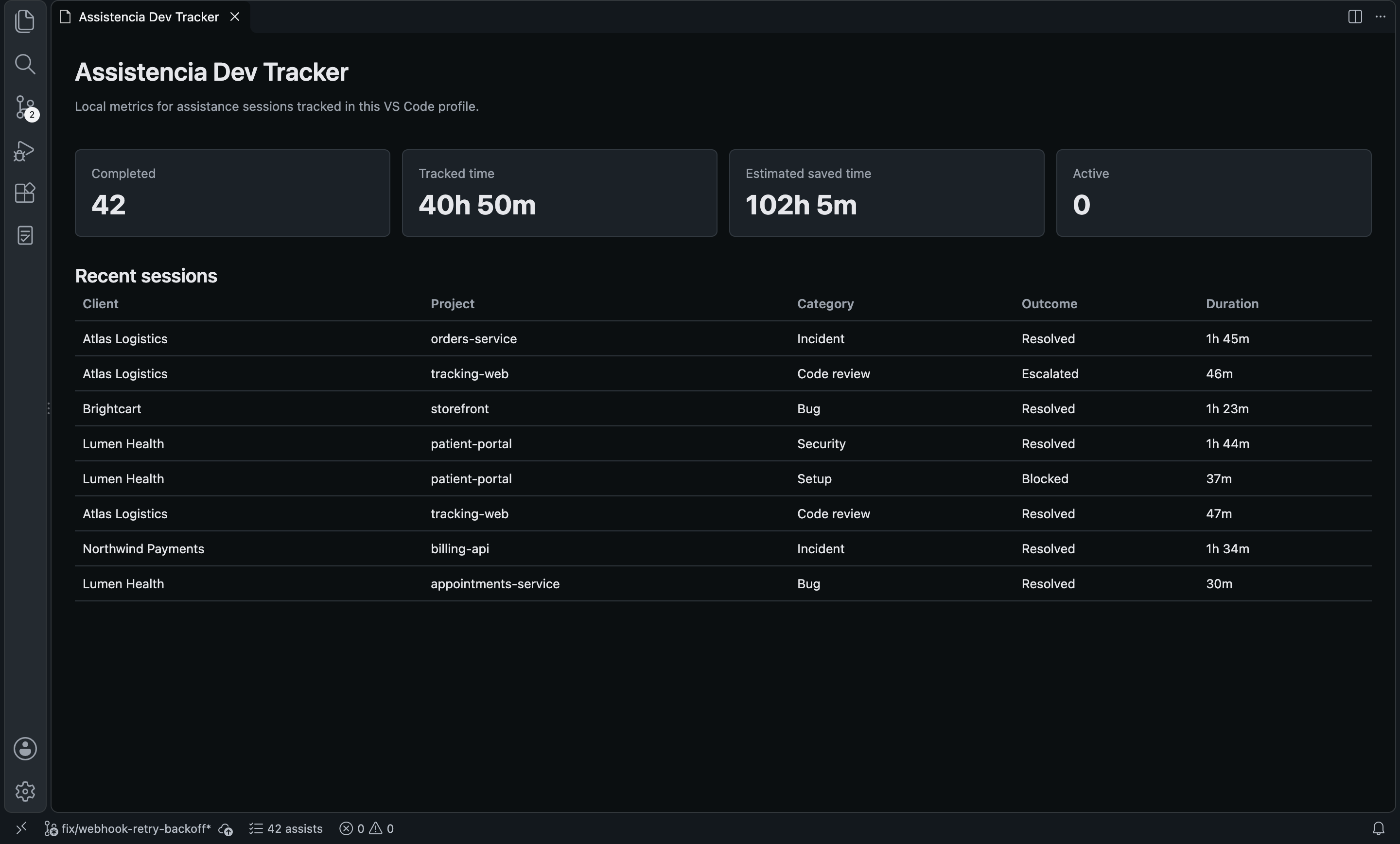
Totals on a dashboard
Completed sessions, tracked time and an estimated time saved, with a multiplier you set.
Export everything
Every field in CSV or JSON.
Local, and only local
No account, no telemetry, no network calls.
Any editor
VS Code, Cursor, VSCodium and Windsurf.
Before you choose
How it compares
Dev Tracker | WakaTime | CodeTime | Tempo | |
|---|---|---|---|---|
| Logs help by client, project and ticket | Yes | No: coding time | No: coding time | Partial: Jira worklogs |
| Notes, outcome and summary per session | Yes | No | No | Partial |
| Changed files and branch captured | Yes | Partial: branch | No | No |
| No account, data stays local | Yes | No | No | No |
| CSV / JSON export | Yes | Partial | — | Partial |
From each tool’s public listing. Something changed? Tell me at ciromaciel.click/contact.
Price
Free. No account, no trial, no nag screen.
Dev Tracker is free and runs entirely on your machine.
Free
$0
- Every feature, for good
- No account, no key, nothing to configure
- Local only: no telemetry, no network calls
Start a session the next time someone asks for your help.
VS Code Marketplace · Open VSX for Cursor, VSCodium and Windsurf