VS Code extensions

The AI in your editor, without one more account.

Eleven extensions I built for my own work: a database studio, a SQLite editor, a commit writer, a stack trace reader and more. Every one is free and stays free. Stack Trace Triage and SQLite Editor also have a Pro plan: the AI is included, so you skip the OpenRouter sign-up and the key.

See the extensions

For VS Code, Cursor, VSCodium and Windsurf.

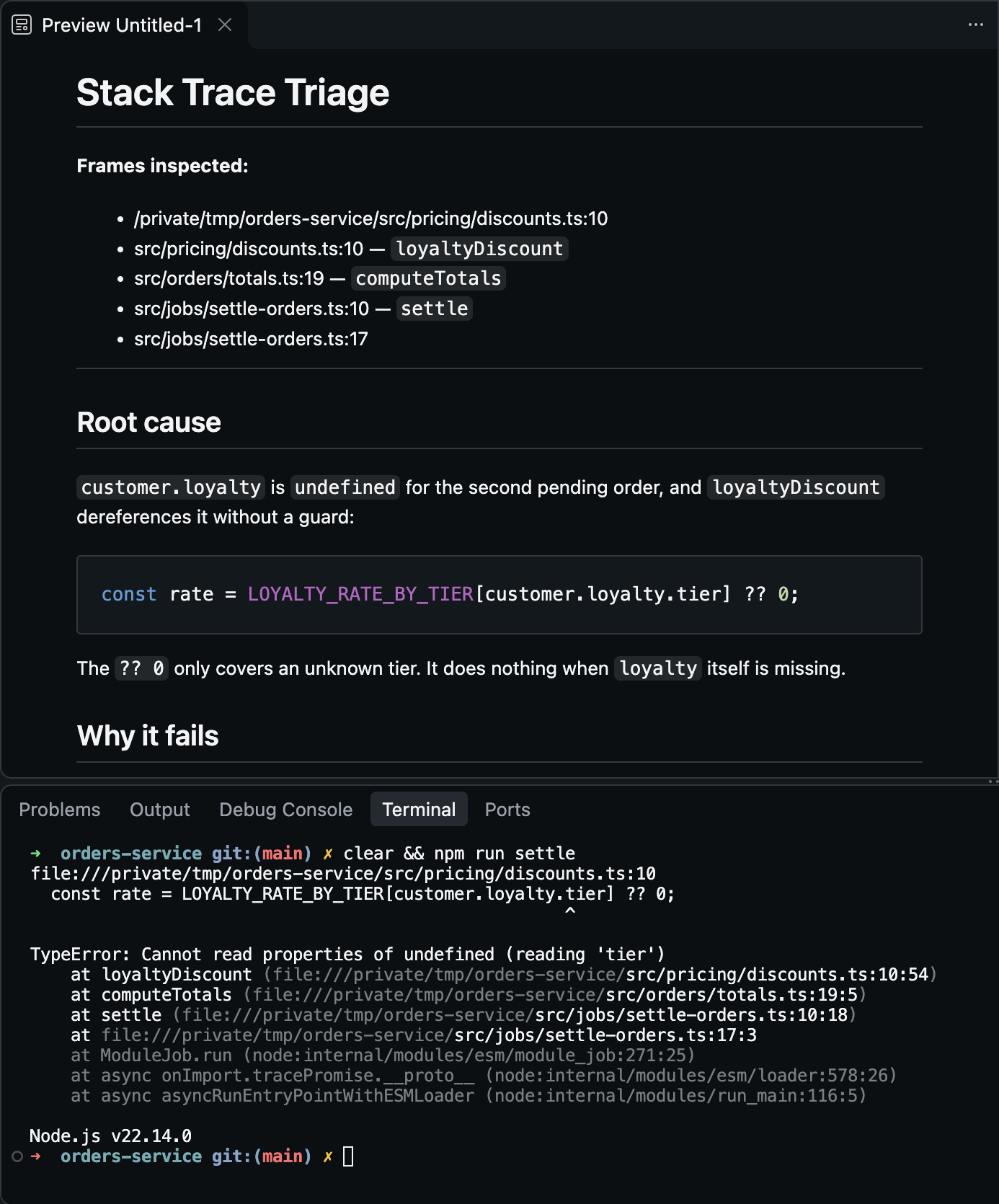
Stack Trace Triage in VS Code: a trace copied from the terminal and its diagnosis with the root cause and the fix

Free and Pro

Pro adds the AI. It takes nothing away.

Free stays free

Everything an extension does today stays in the free version. The AI features work with your own OpenRouter key, any of its models, and you pay OpenRouter per token.

Pro includes the AI

No OpenRouter account and no key. The extension sends the same request to my server, which answers with Claude Haiku 5.5: up to 50 AI requests a day per extension.

One key, any editor

After the payment you get a license key. Paste it with "Enter Pro License Key" in the command palette. The same key carries both extensions if you subscribe to both.

Stack Trace Triage

Paste a stack trace and get the root cause: it opens the files in the frames first.

Free

  • Node, Python, Java, Go, Rust, Ruby and PHP traces

  • From the editor, a log file or the clipboard

Pro

  • Diagnoses with no OpenRouter key

  • Claude Haiku 5.5, up to 50 AI requests a day

Loading the price…
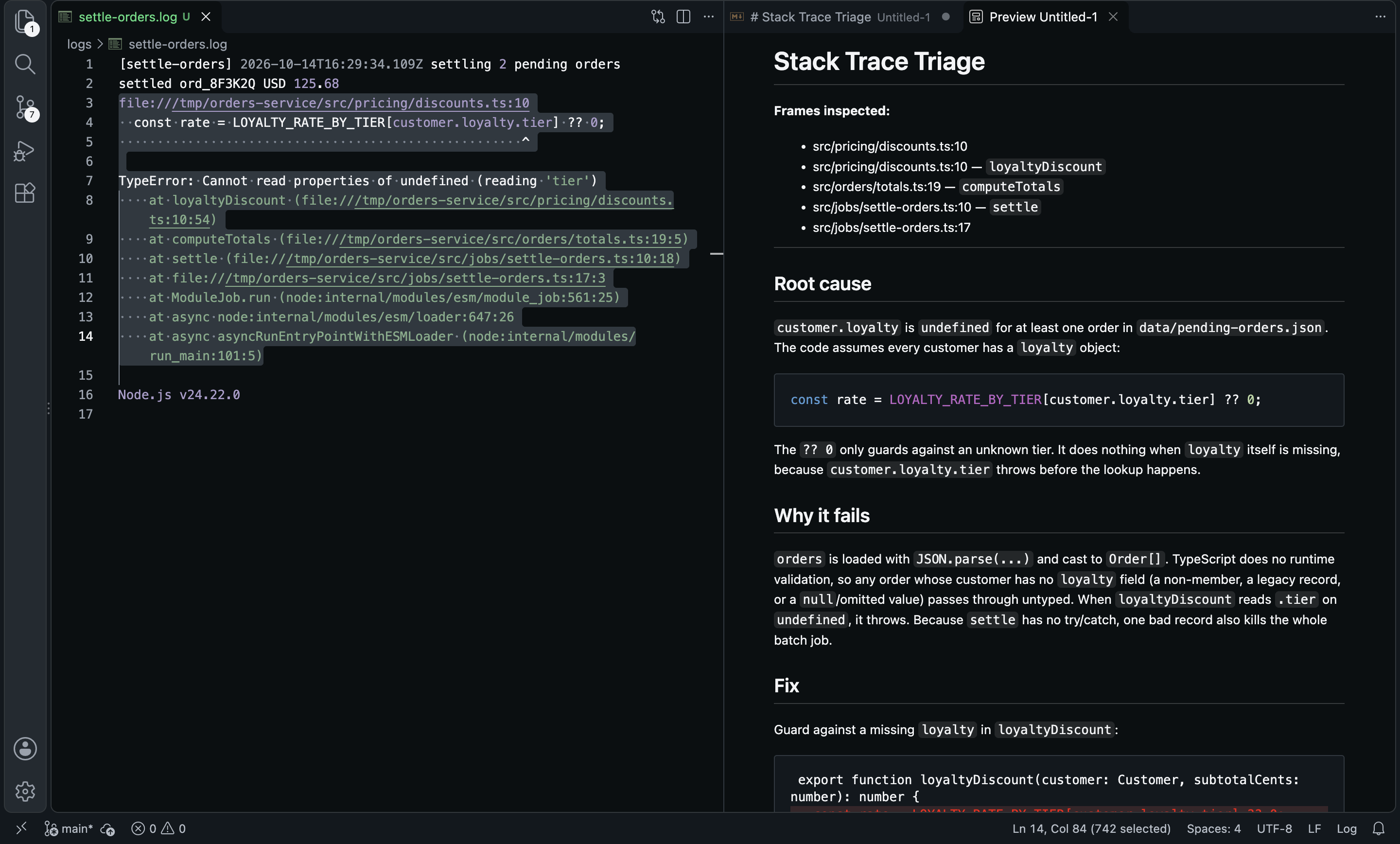
Stack Trace Triage: a diagnosis with root cause and fix for a selected trace

SQLite Editor

Open a .db file, edit it like a spreadsheet and ask it questions in plain English.

Free

  • Browse, edit, alter tables and run queries

  • Data briefing, AI filter, AI edit and error fixes with your OpenRouter key

Pro

  • Every AI feature with no OpenRouter key

  • Claude Haiku 5.5, up to 50 AI requests a day

Loading the price…
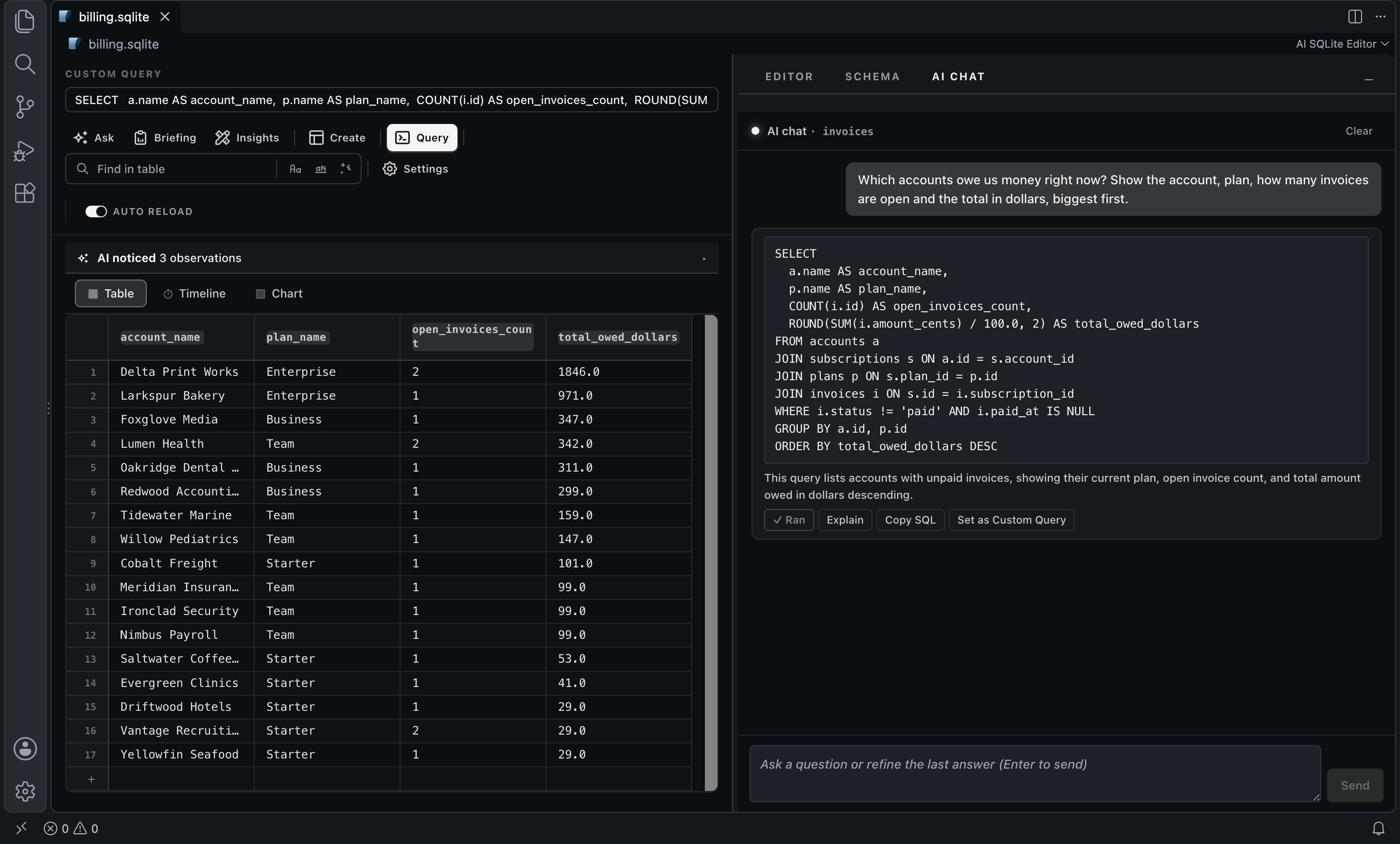
SQLite Editor: a question in plain English answered with SQL and its result

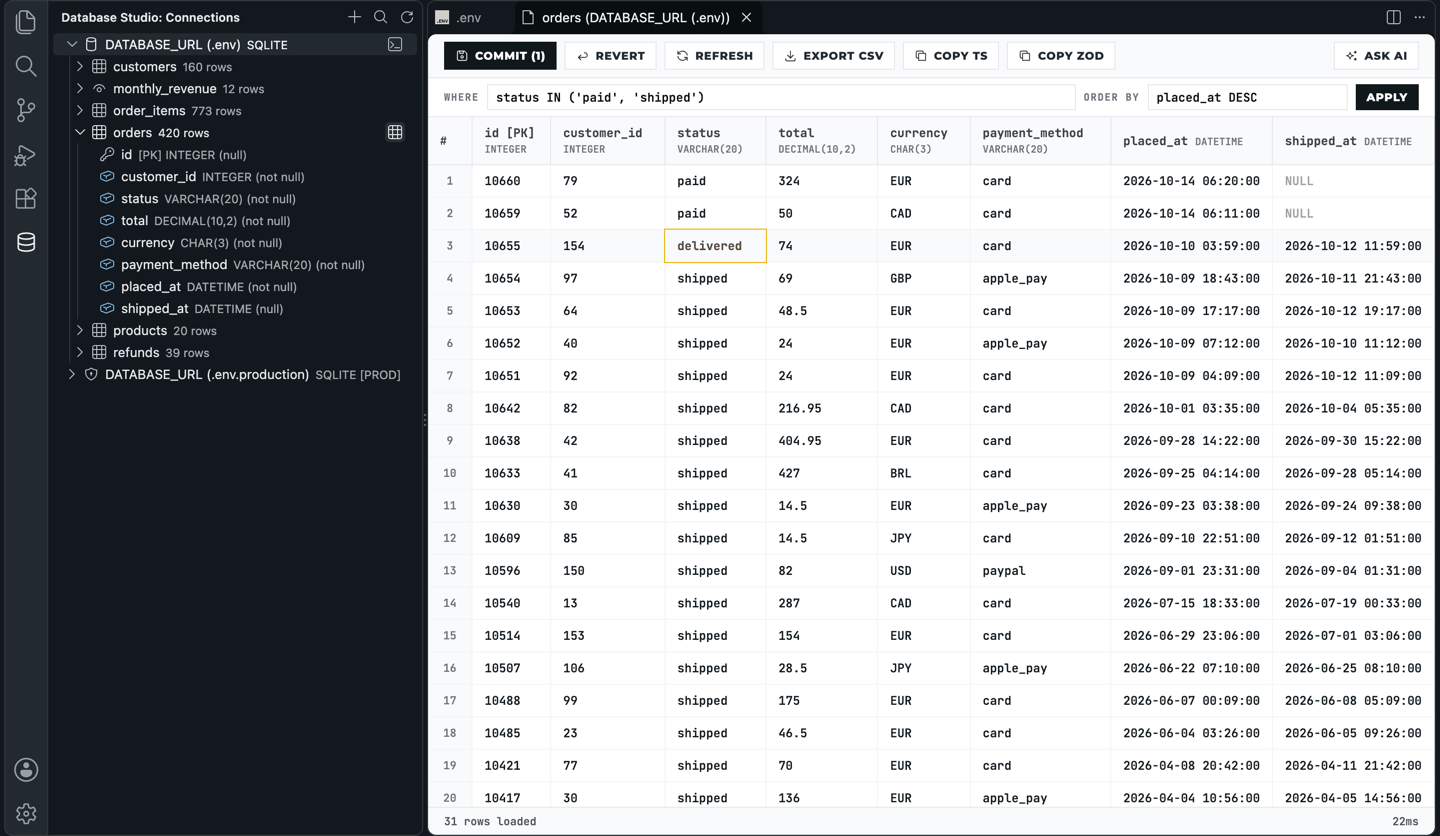
Database Studio

PostgreSQL, MySQL, SQLite and Redis in the side bar, found from your .env files.

Free

  • Connections read from your .env files

  • An editable grid with commit and revert

  • Production connections marked and confirmed

  • Ask AI for SQL with your OpenRouter key

Database Studio: the connections side bar and an orders table in the editable data grid

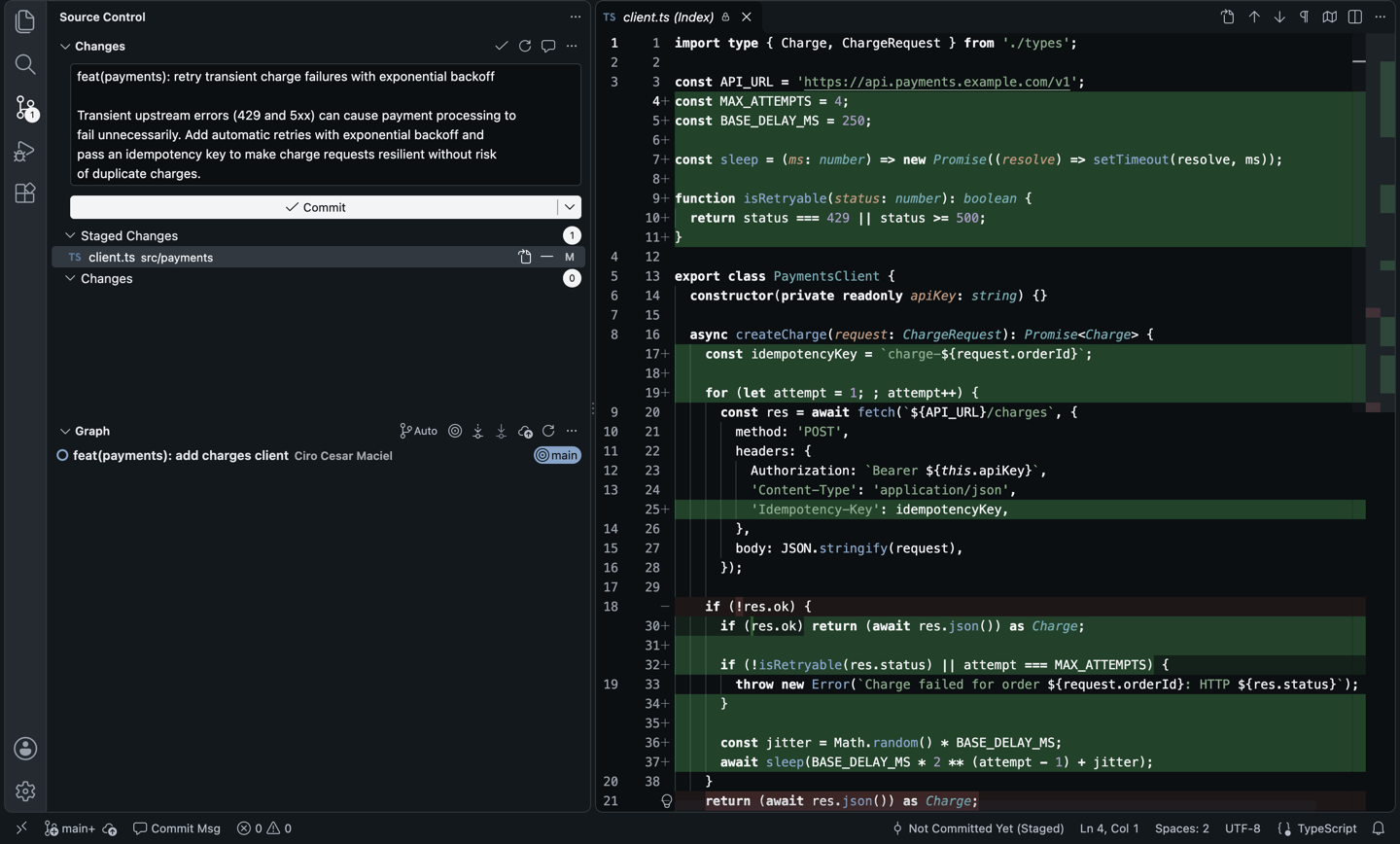
Commit Generator

One click in Source Control and your staged diff becomes a Conventional Commit.

Free

  • Conventional Commits or plain messages, in any language

  • Any OpenRouter model, with its price shown before you pick

Commit Generator: a generated Conventional Commit in the Source Control input box

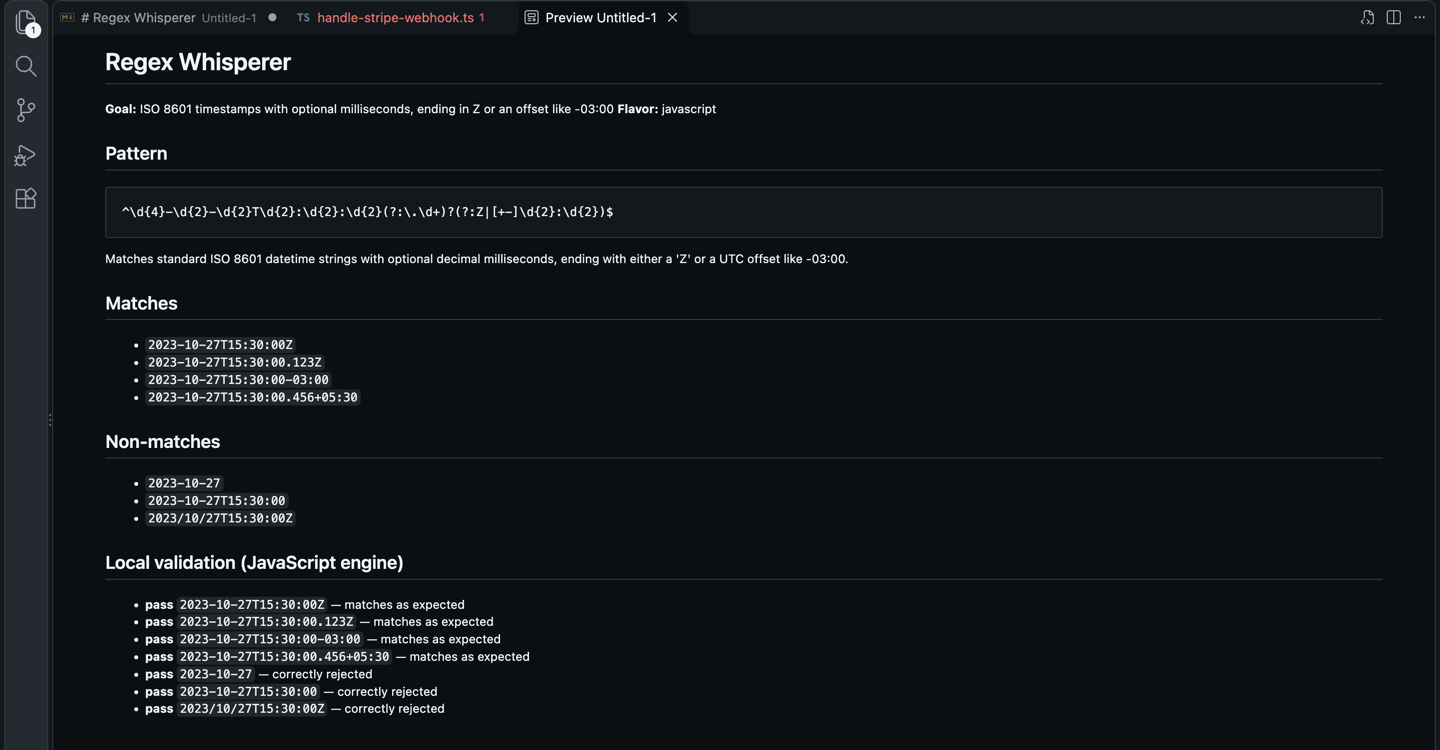
Regex Whisperer

Explain any regex in plain English, or build one from a description.

Free

  • Explain and build, seven regex flavors

  • JavaScript patterns checked locally against the examples

Regex Whisperer: a regex built from a description and checked against examples

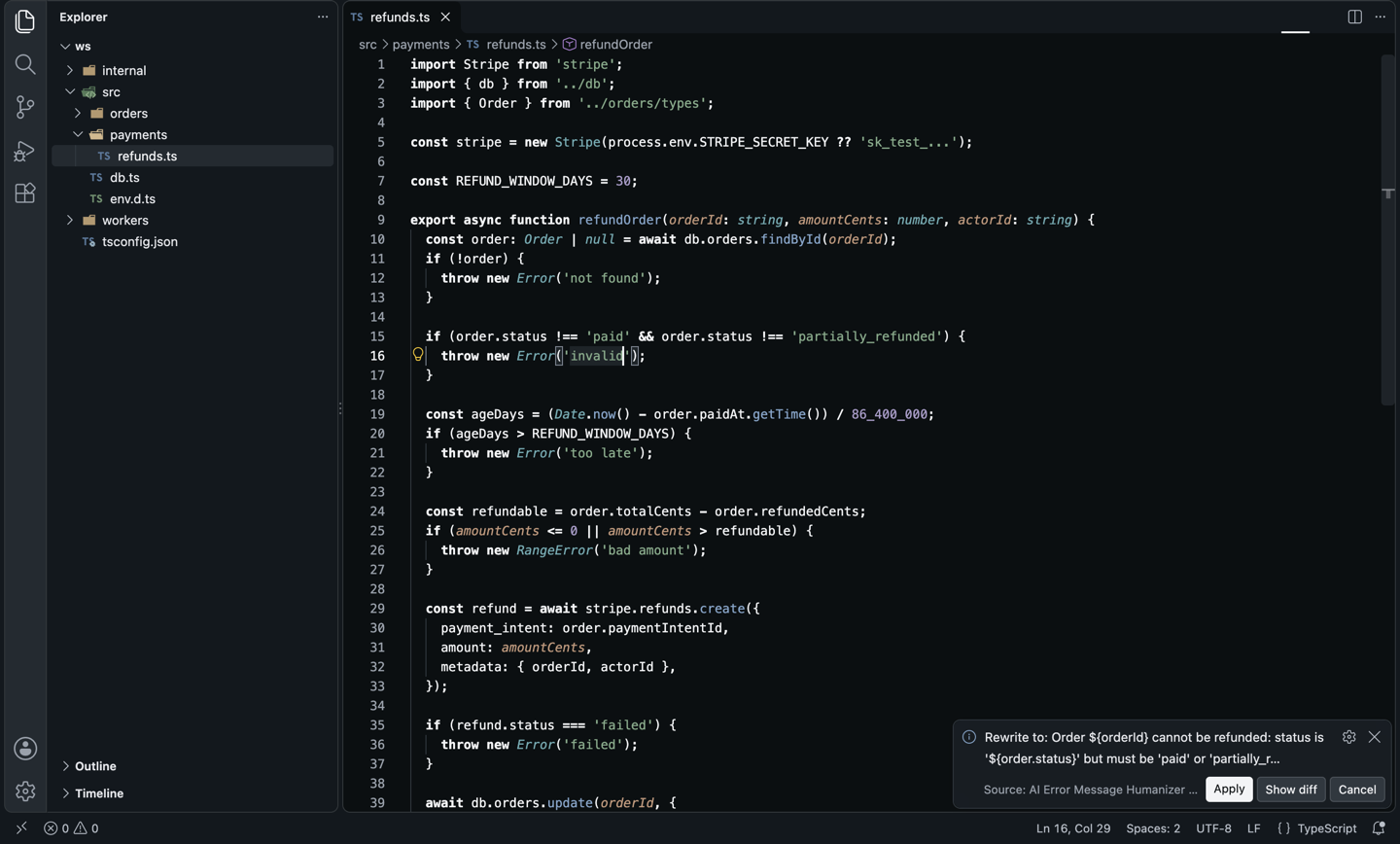
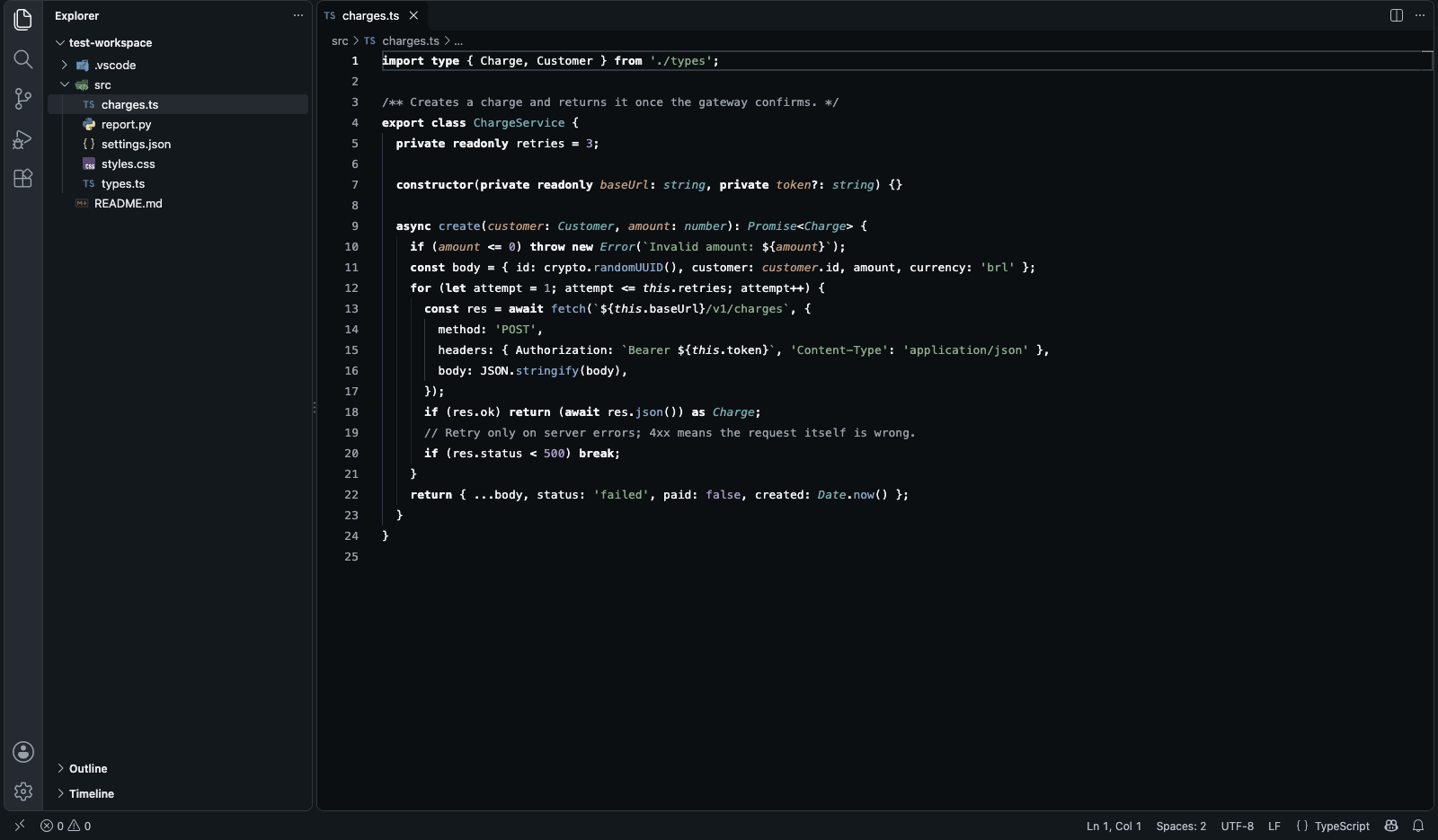
Error Message Humanizer

Rewrites cryptic throw, raise and panic messages into ones that say what to do.

Free

  • A lightbulb on every error site, in eight languages

  • Four tones; nothing changes until you apply

Error Message Humanizer: a proposed rewrite of an error message with Apply and Show diff

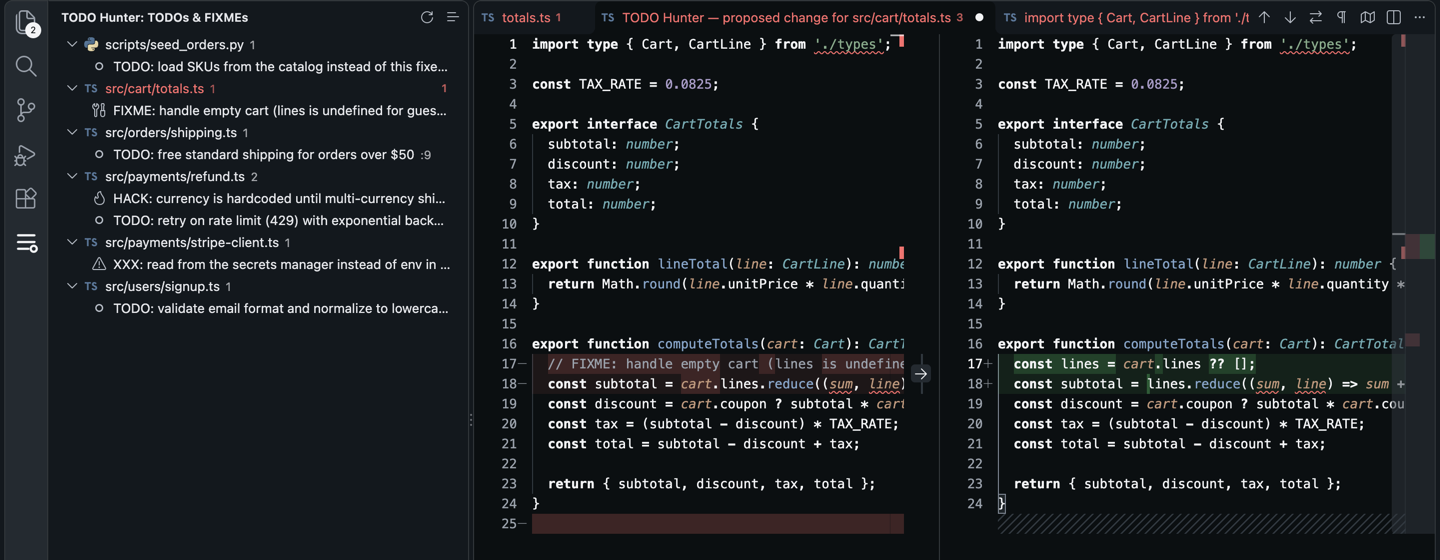
TODO Hunter

Lists every TODO and FIXME in the workspace and proposes the implementation.

Free

  • Every TODO, FIXME, XXX and HACK in a side bar

  • Resolve with AI, with a diff before any change

TODO Hunter: a proposed implementation shown as a diff before it is applied

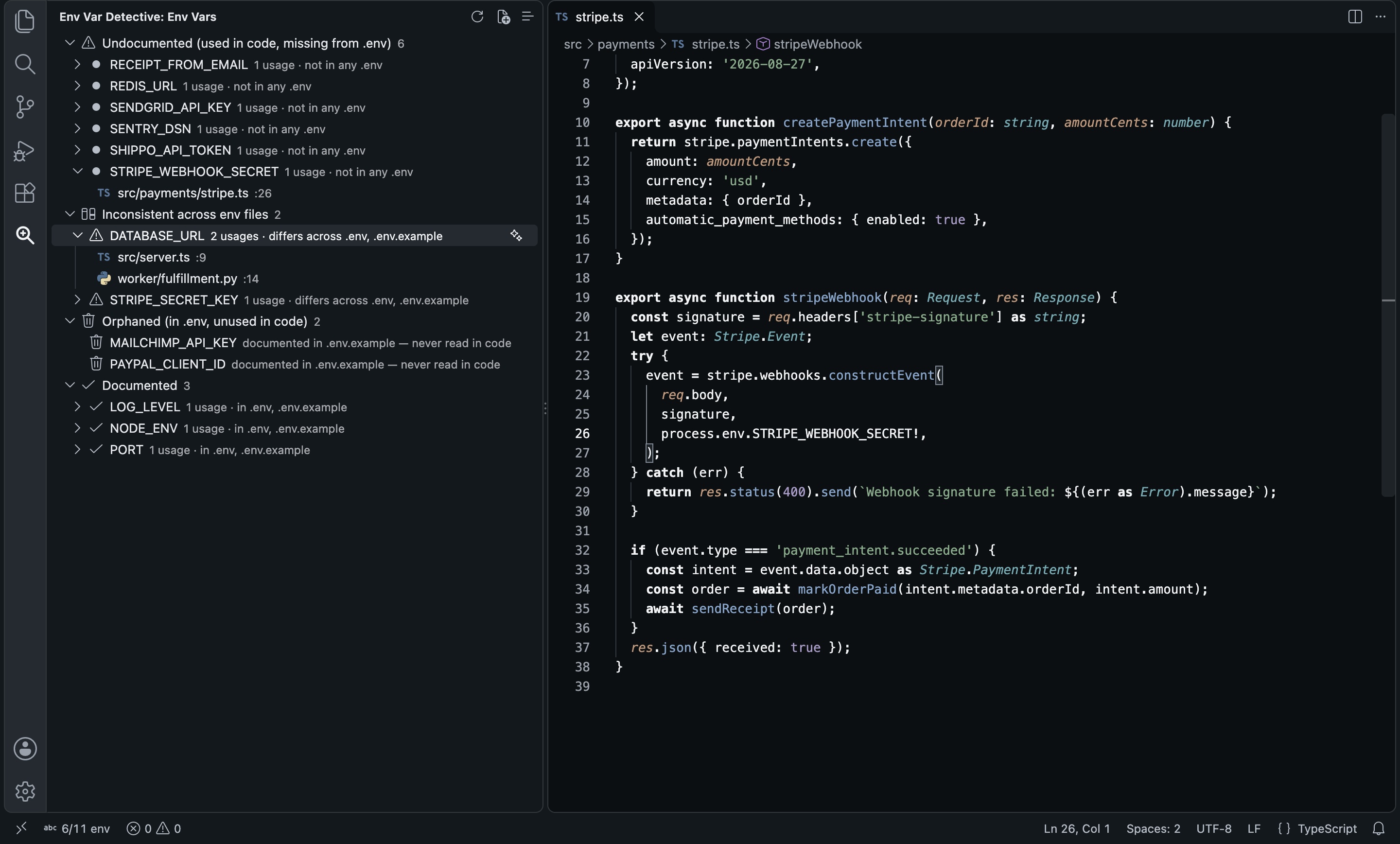
Env Var Detective

Finds every environment variable your code reads and checks it against your .env files.

Free

  • Local scan in 14 languages, grouped by status

  • AI-written .env.example entries with your OpenRouter key

Env Var Detective: variables grouped as undocumented, inconsistent, orphaned and documented

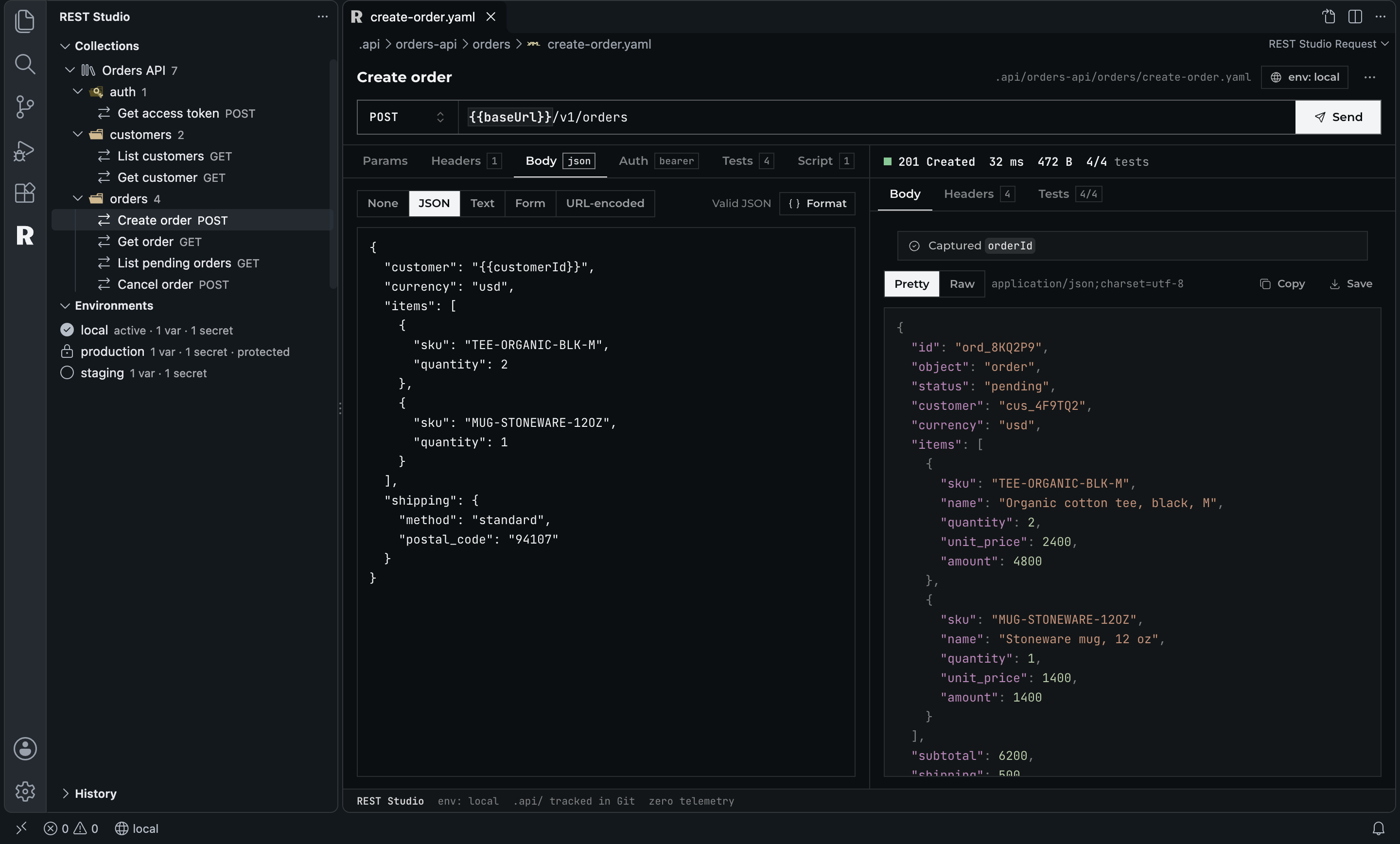
REST Studio

A REST and API client whose collections are YAML files in your repository.

Free

  • Unlimited requests, collections, environments and runs

  • Imports Thunder Client, Postman, Insomnia, OpenAPI and cURL

  • Commercial use allowed, no account

Free, with no Pro: nothing in it needs a server or an AI call.

REST Studio: a POST request with a JSON body and its 201 response with passing tests

Zen Theme

A calm light and dark theme: gray around the code, five soft pastels in it.

Free

  • Light and dark, with a file icon theme

A theme, free.

Zen Dark: TypeScript with bold keywords and pastel strings on a near-black editor

Dev Tracker

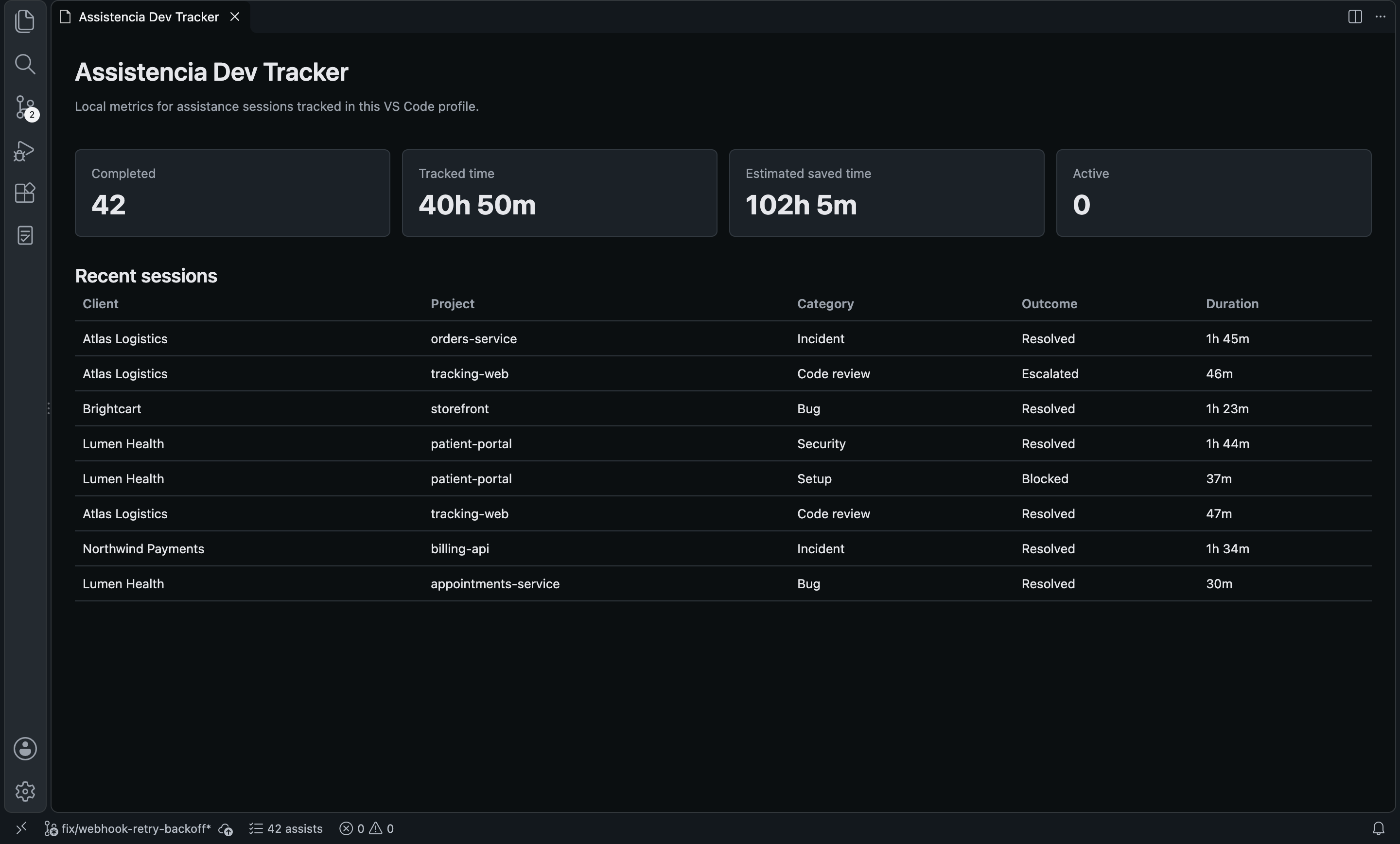
Logs support and mentoring sessions and turns them into numbers you can export.

Free

  • Sessions by client, project and ticket

  • CSV and JSON export; everything stays on your machine

Free, and local only: no account, no network.

Dev Tracker: the dashboard with sessions, tracked time and outcomes

Questions

Before you install