Error Message Humanizer · for VS Code, Cursor, VSCodium and Windsurf
Stop shipping throw new Error('invalid').
Click the lightbulb on any throw, raise or panic, and a model reads the code around it and rewrites the message into one that names what failed and what to check. Nothing changes until you apply it.
VS Code Marketplace · Open VSX for Cursor, VSCodium and Windsurf
Why I built it
The answer was three lines above the throw
I spent too many 20-minute sessions figuring out which input, where, and why it was rejected, when the answer was right there in the code, three lines above the throw.
A model that reads those lines and rewrites the message saves the next reader, often you six months later, those 20 minutes.
Ciro Cesar Maciel, who builds and maintains it
How it works
From "invalid" to a message you can act on
1
Open a file
Every throw, raise and panic gets a lightbulb.
2
Click Humanize
From the lightbulb, the context menu or one keystroke.
3
Read the proposal
Apply, Show diff or Cancel.
4
Or the whole file
Every message in one call, before and after, then Apply all.
See it in action
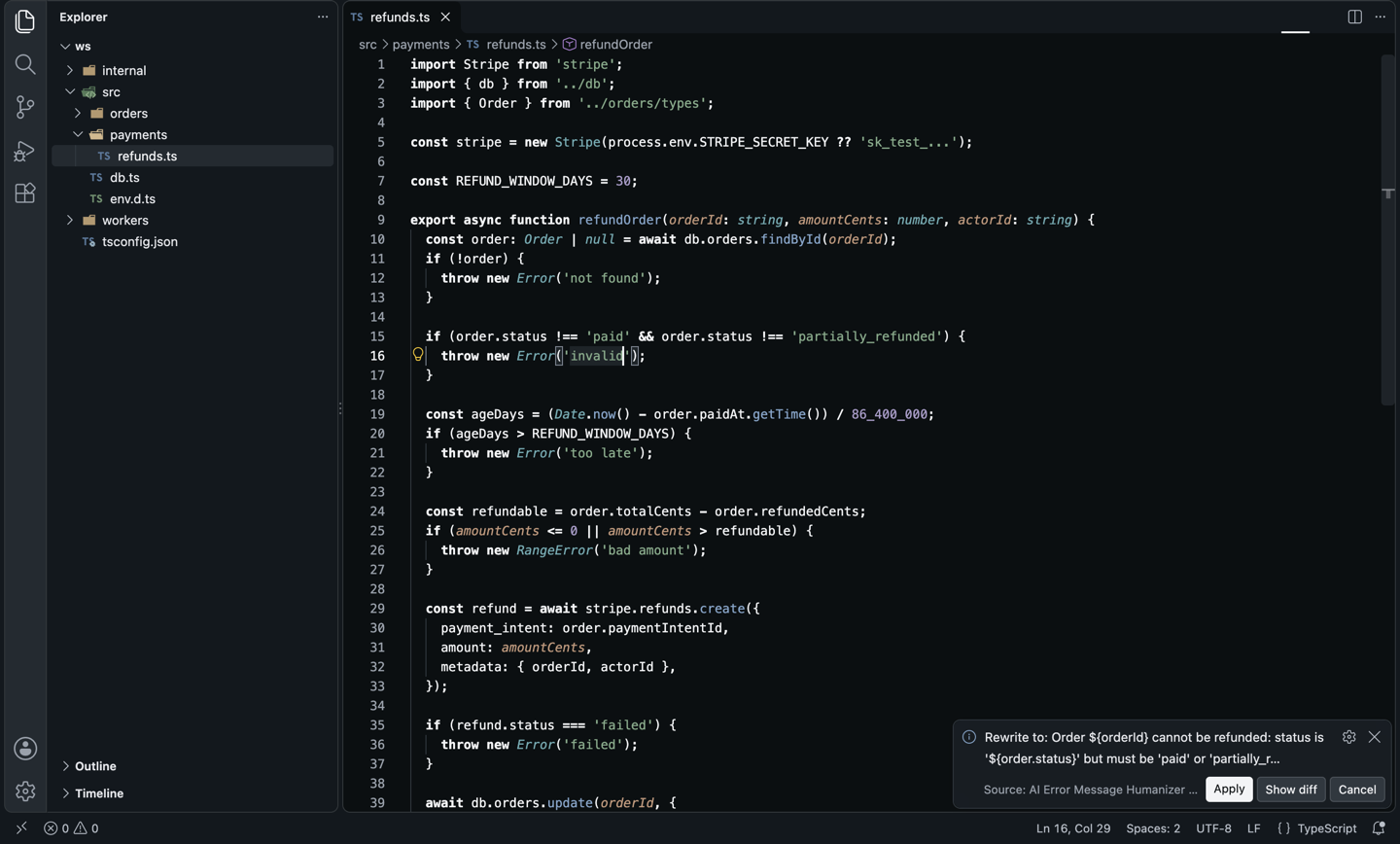
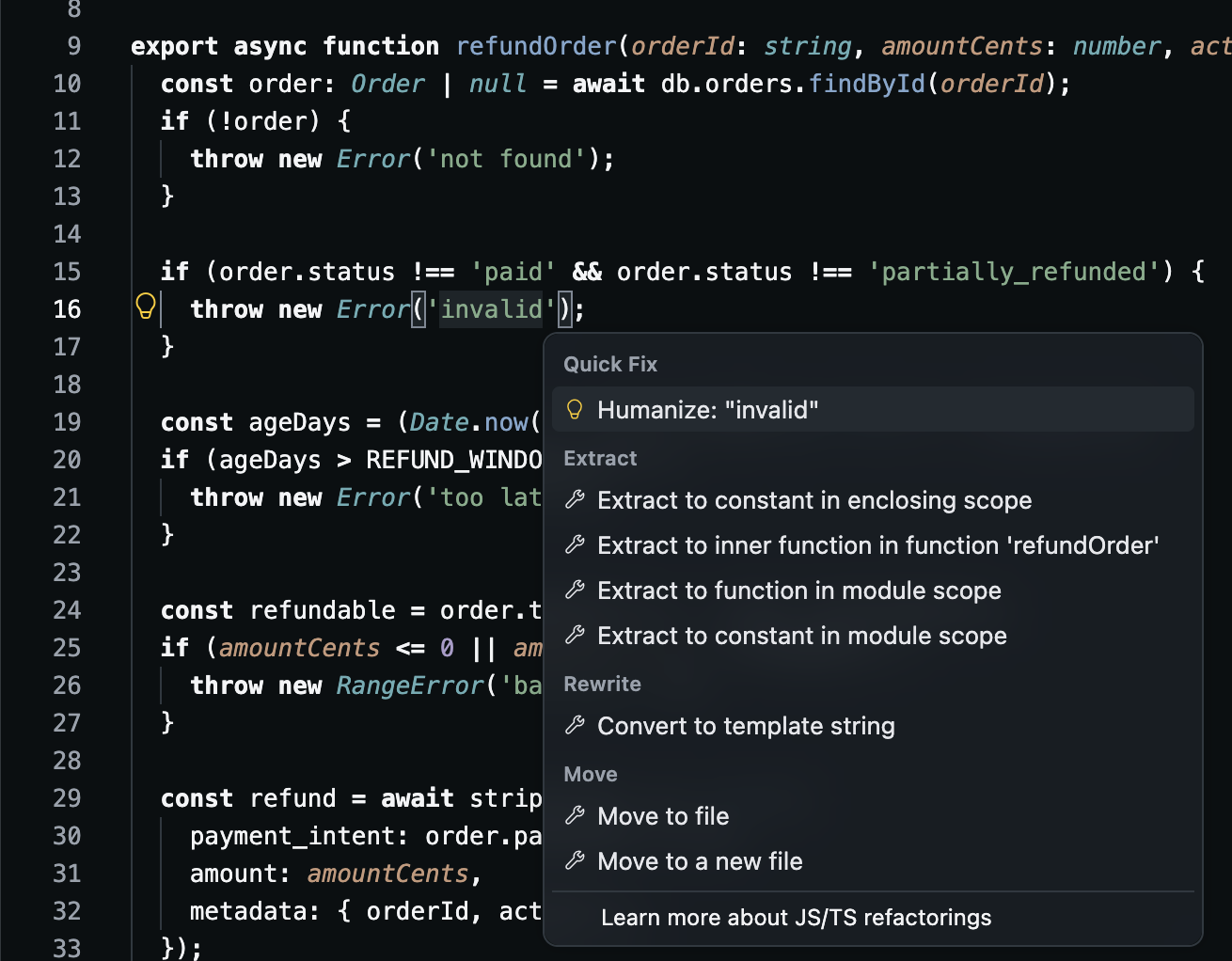
The message now names the order and its status
A real run, in the actionable style. The single-quoted string becomes a template literal so the value fits:
What went in
What came out
And then
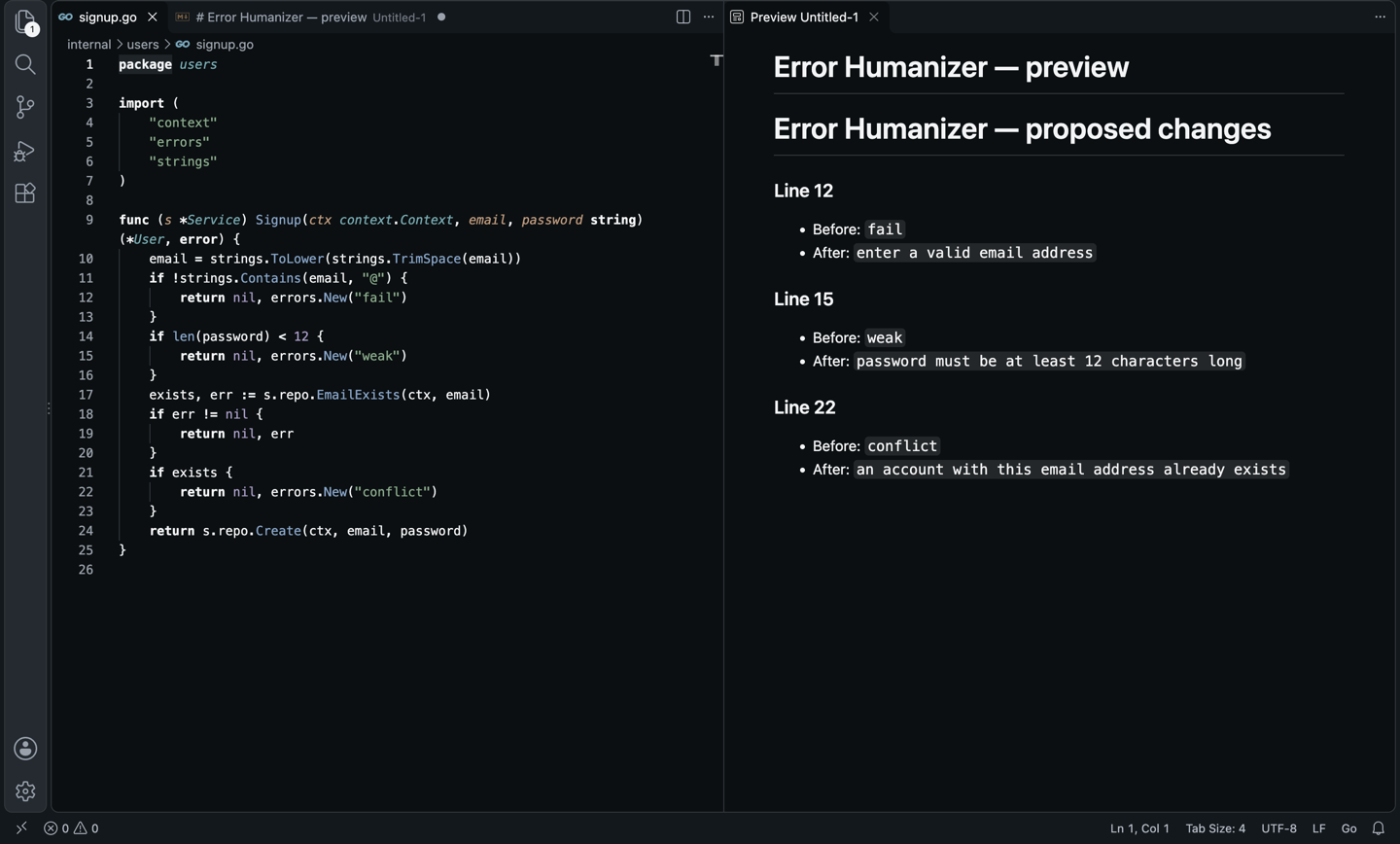
The whole file in one call, before and after
A Go signup handler and a Python worker after Apply all, where a message that gained a variable became an f-string:
What came out
And then
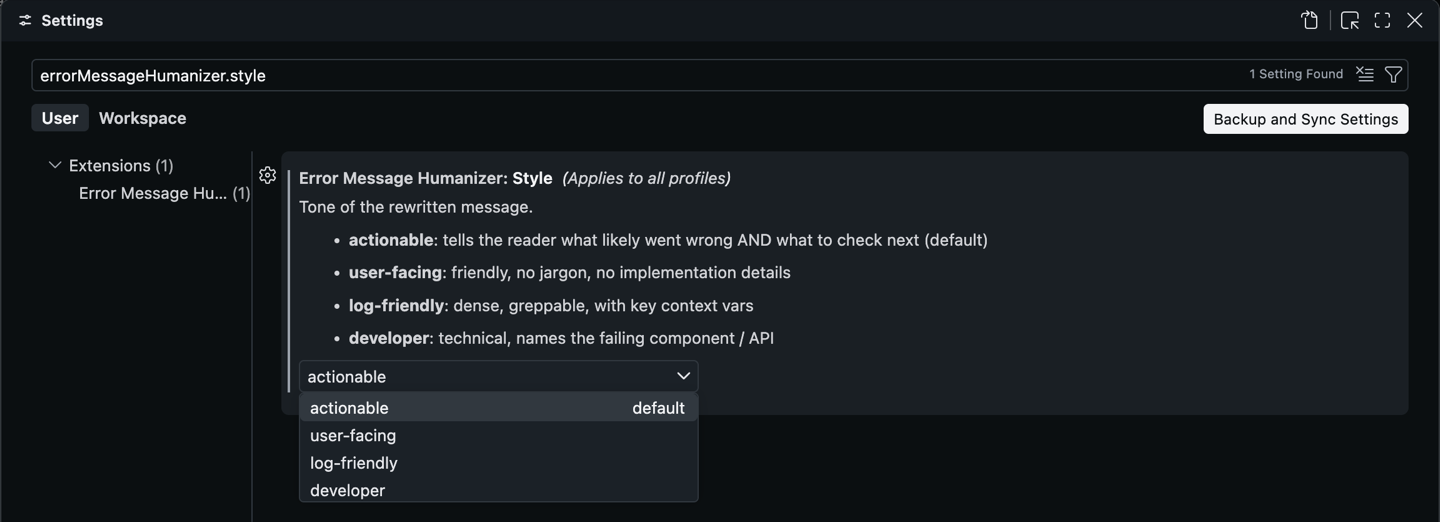
Four tones, one setting
Actionable (what broke and what to check), user-facing (friendly, no jargon), log-friendly (dense, greppable) and developer (names the failing API).
Everything in it
Better errors, without leaving the file
Eight languages
JS/TS, Python, Go, Rust, Java, C# and more: throw, raise, errors.New, panic!, anyhow!.
Reads the code
40 lines around the site by default, so it can name the order, the status or the limit that failed.
A lightbulb on every site
Next to the built-in refactorings.
Whole-file rewrite
Every site in one call, with a before and after preview.
You approve every change
Nothing is written until you click Apply. A clear message is left alone.
Four tones
Actionable, user-facing, log-friendly or developer.
Any language
The prose in English, Portuguese, Spanish or any other.
Your model
Any of the 350+ models on OpenRouter, pay per token, no subscription.
Before you choose
How it compares
Error Message Humanizer | Error Lens | Copilot Chat / ChatGPT | |
|---|---|---|---|
| Improves the messages your code throws | Yes | No: shows diagnostics | Partial: one at a time, by hand |
| Reads the surrounding code | Yes, automatically | — | Partial: you paste it |
| Lightbulb on every throw | Yes | No | No |
| Whole-file rewrite with preview | Yes | No | No |
| Any model, pay per token | Yes | — | No: subscription |
From each tool’s public listing. Something changed? Tell me at ciromaciel.click/contact.
Price
Free. No account, no trial, no nag screen.
Every feature is free. Where it uses AI, it uses your own OpenRouter key: you pick the model and pay the model, per token, with no subscription to me.
Free
$0
- Every feature, for good
- Your OpenRouter key, any model, pay the model per token
- Detection is local; no telemetry
Open the file with your vaguest error and click the lightbulb.
VS Code Marketplace · Open VSX for Cursor, VSCodium and Windsurf