Zen Theme · for VS Code, Cursor, VSCodium and Windsurf
A theme you can read for ten hours, in light and in dark.
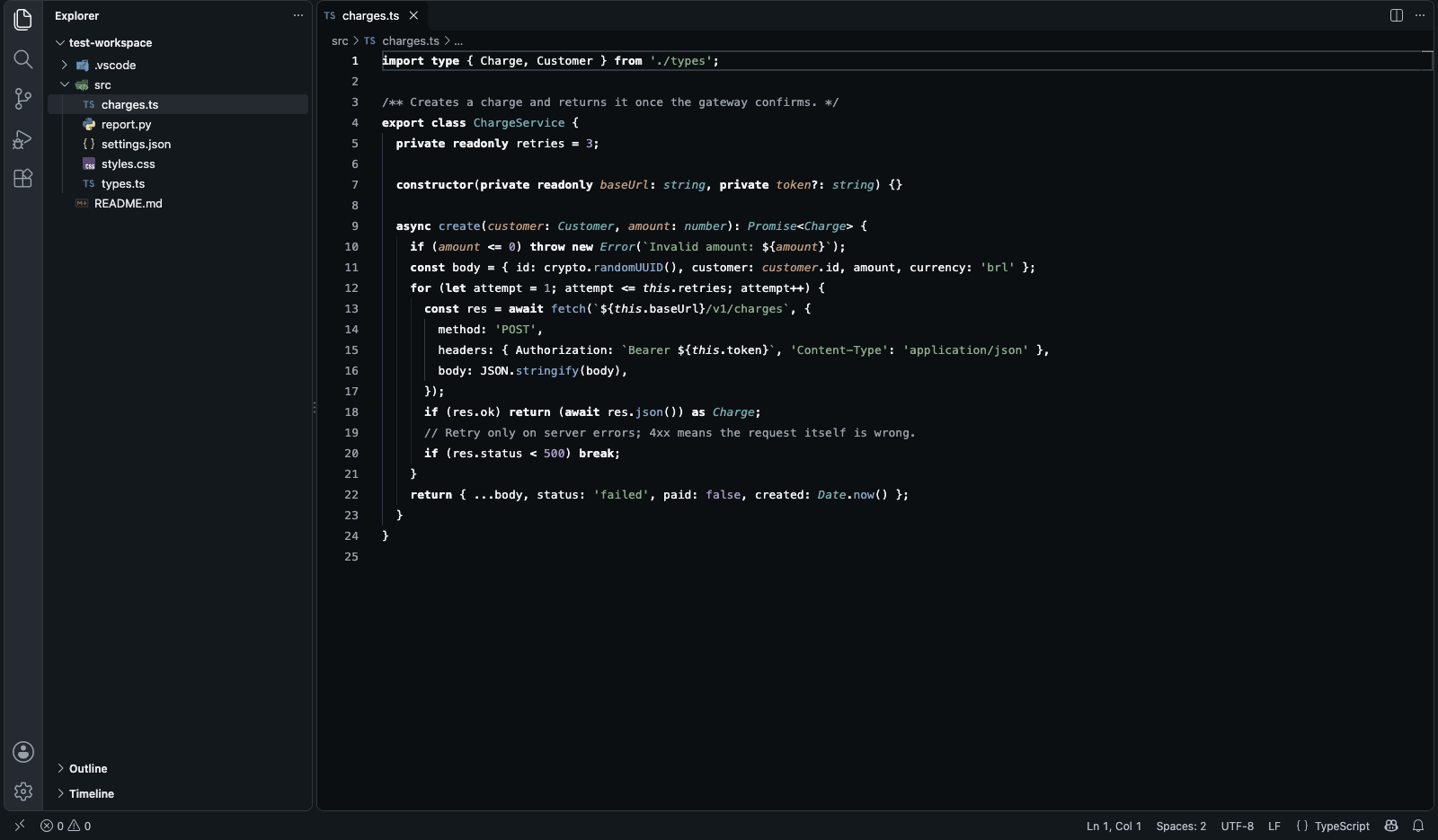
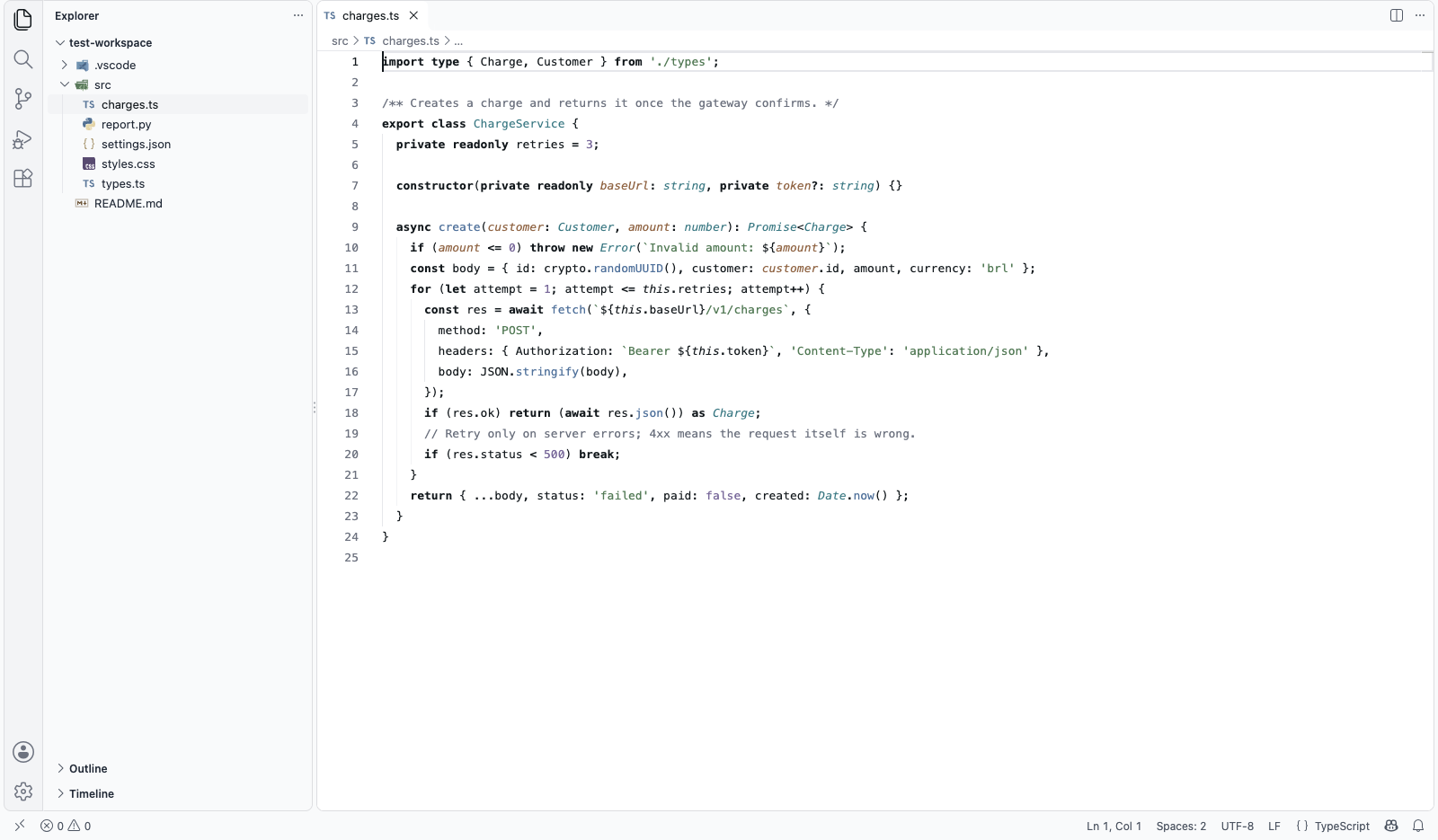
Everything around the code is gray. Keywords are bold, not colored. Five soft pastels tell strings, functions, types, parameters and values apart, and red, green and yellow appear only when something happened.
VS Code Marketplace · Open VSX for Cursor, VSCodium and Windsurf
Why I built it
My editor was the loudest thing on my screen
I spend ten hours a day in an editor. Every popular theme I tried painted the whole screen: purple keywords, pink operators, green strings, orange parameters, a blue-tinted background. After a few hours I stopped seeing the code and started seeing confetti.
So I designed the theme I wanted to look at all day, on the design system of my own products.
Ciro Cesar Maciel, who builds and maintains it
How it works
Two minutes to a calmer editor
1
Install
From the Marketplace or Open VSX.
2
Pick
Cmd+K Cmd+T (Ctrl+K Ctrl+T): Zen Light or Zen Dark.
3
Follow your system
Set light and dark to switch with your system at sunset.
4
Add the icons
Zen Icons: every vscode-icons icon, in the same key.
See it in action
Zen Dark: what floats, rises
Menus, suggestions, hovers and the command palette sit one step lighter than the panels, so they read as a layer above the code.
And then
Zen Light: the matched pair
The same roles and the same hues, so switching at sunset does not make your code look like another file.
Everything in it
Color with a job, contrast you can measure
Color has a job
In the code, five pastels; outside it, color means state: red is an error, green an addition, yellow a warning.
Measured contrast
Code colors solved to 5:1 on Zen Light and 7.5:1 on Zen Dark; comments at 4.8:1 and 7.4:1. WCAG AA asks for 4.5:1.
Hierarchy by weight
import, export, class, const, return and if are bold, in the same ink as the code.
One gray ramp around the code
Side bar, tabs, panels and status bar in ten grays. Nothing competes with the code.
Light and dark, matched
Same roles, same hues, both free.
Zen Icons
1,500 icons for about 600 file extensions, in the same pastels.
Fira Code, with ligatures
Set by default; if it is missing, a notice offers the download in one click.
Almost nothing runs
One font check at startup. No network, no telemetry, no upsell.
Before you choose
How it compares
Zen Theme | Dracula | One Dark Pro | Monokai Pro | GitHub Theme | |
|---|---|---|---|---|---|
| Light and dark, free | Yes | No: light is paid | No: dark only | Partial: paid | Yes |
| Gray workbench, no tinted chrome | Yes | No | No | Partial | No |
| Comment contrast, dark | 7.4:1 | 3.0:1 | 3.7:1 | 2.9:1 | 6.2:1 |
| Keywords in bold | Yes | Partial | No | No | No |
| Price | Free | Free; Pro paid | Free | Paid | Free |
Contrast measured on each theme’s dark variant. Something changed? Tell me at ciromaciel.click/contact.
Price
Free. No account, no trial, no nag screen.
Zen Theme is free: both themes, the icons, every editor, commercial use included.
Free
$0
- Both themes and Zen Icons, for good
- Every editor, commercial use included
- No network, no telemetry
Give your eyes a calmer screen today.
VS Code Marketplace · Open VSX for Cursor, VSCodium and Windsurf