Database Studio · for VS Code, Cursor, VSCodium and Windsurf
Open the repo, and your database is already in the side bar.
PostgreSQL, MySQL, SQLite and Redis, found from your .env files. Edit rows in a grid, ask for SQL in plain English, copy a table as TypeScript or Zod, and get stopped before a commit reaches production. No telemetry, no nag screens.
VS Code Marketplace · Open VSX for Cursor, VSCodium and Windsurf
Why I built it
Every database client in VS Code became bloated, slow or nagware
The connection string is already in your .env, yet every client asks you to paste it again. Then it phones home, shows a pop-up asking for a yearly license, or treats your production database exactly like your laptop’s.
Database Studio starts from what your repository already knows: it reads the .env files and offers to connect. It marks production as production and asks before every commit to it. And your rows never leave your machine.
Ciro Cesar Maciel, who builds and maintains it
How it works
From the repo to an edited row, in a minute
1
Open the repo
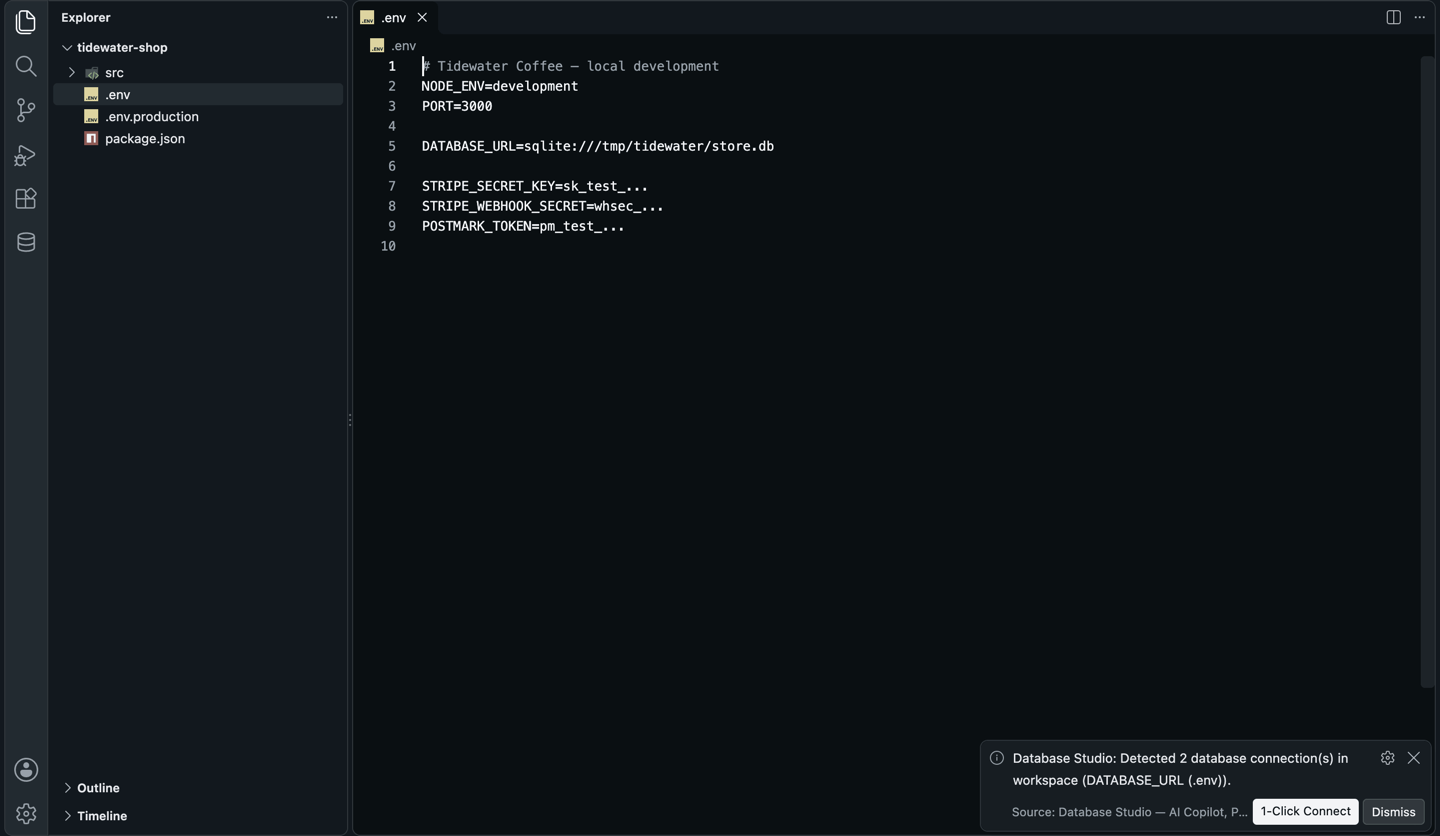
It scans the .env files and .db files and lists what it found. Click 1-Click Connect.
2
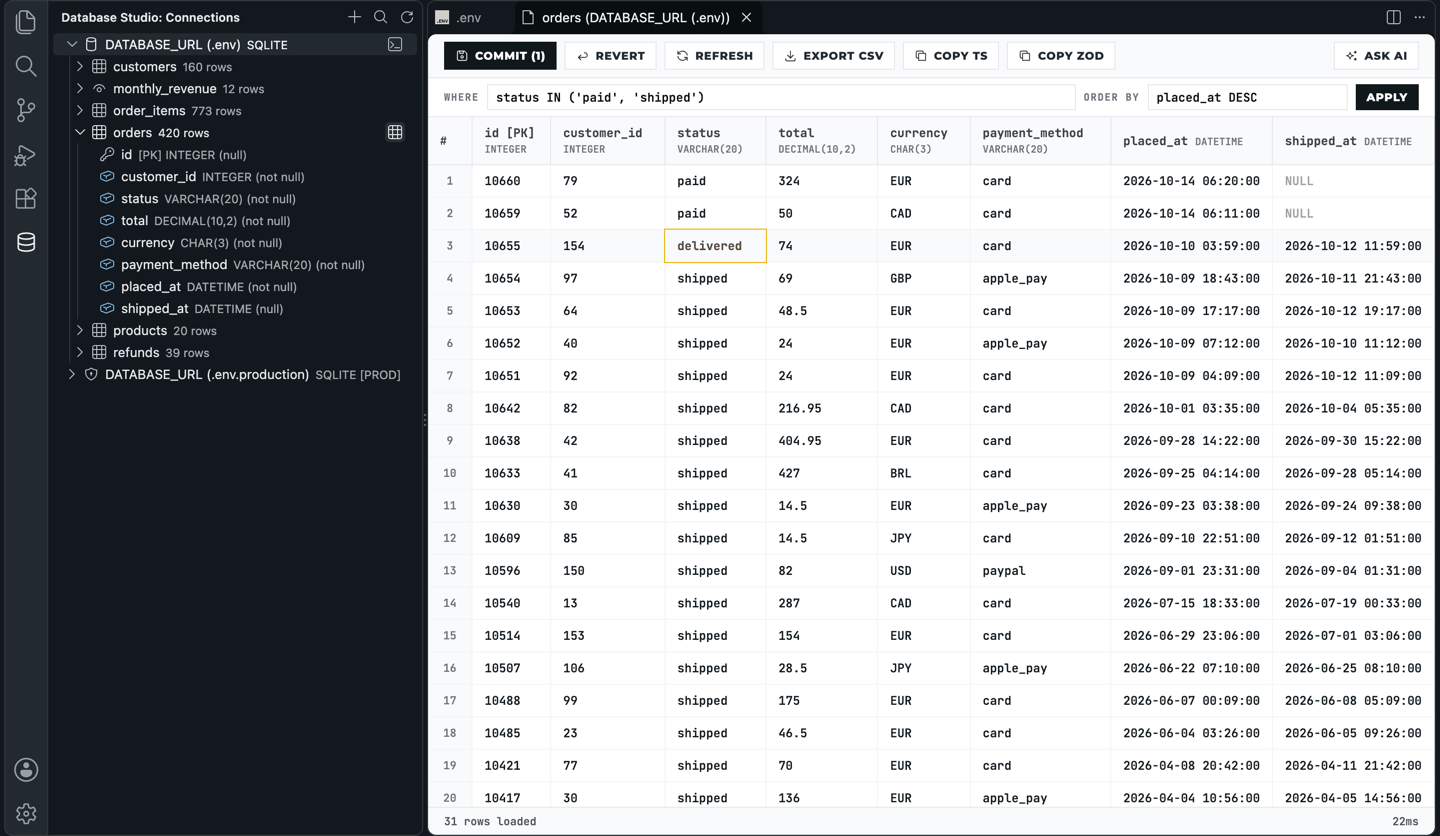
Browse
Schemas, tables with row counts, columns with type, key and nullability.
3
Edit
Click a cell and type. Commit sends the changes; Revert drops them.
4
Ask
From any table, ask in plain English and get SQL for that table and that engine.
See it in action
It reads your .env and offers to connect
Any postgres://, mysql://, redis:// or sqlite:// URL in a .env file becomes a connection, one click to add. No connection string to paste.
And then
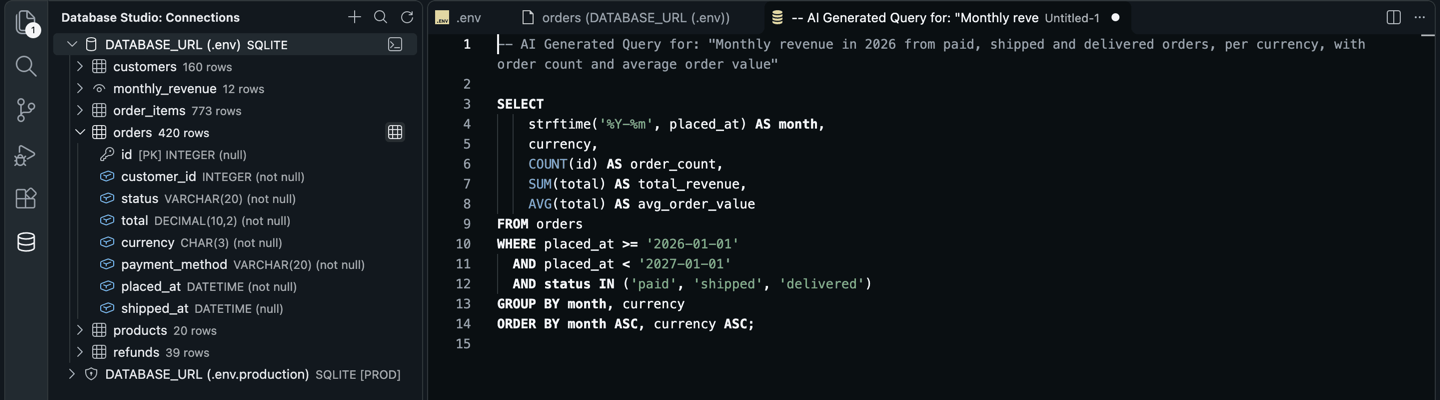
Ask from a table; get SQL for that table and that engine
The model gets the table’s columns and the engine name, so the SQL fits your schema and your dialect. A real run on SQLite:
What went in
What came out
And then
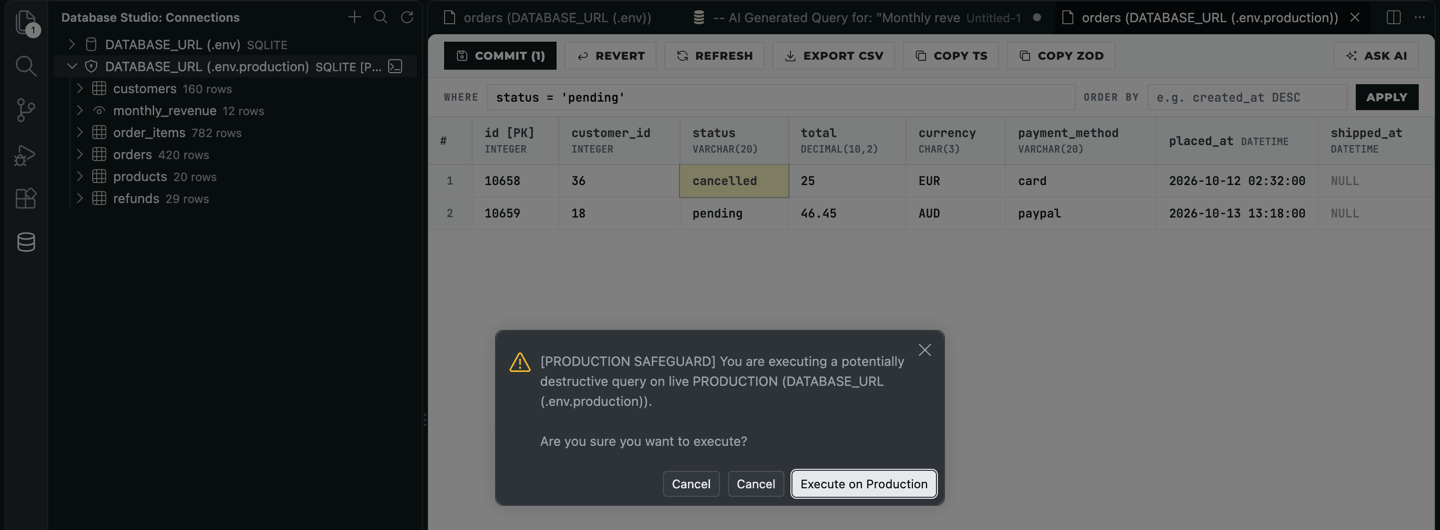
Production looks like production, and asks first
A connection is tagged Production when you pick it, or when it sees prod in the variable name or prod, aws, neon, supabase or planetscale in the URL. It gets a shield in the tree, and every commit from the grid stops at a dialog first.
Everything in it
Everything you open a database client for, and nothing you don’t
Four engines, one side bar
PostgreSQL (Supabase, Neon, RDS), MySQL and MariaDB, SQLite files, and Redis or Valkey with key namespaces and counts.
Your .env is the connection list
Connections found from .env files and .db files on startup; or add one by hand, as Development, Staging or Production.
A grid you can edit
Edited cells turn yellow; Commit or Revert. A WHERE and ORDER BY bar filters without writing a query.
Production safeguard
A shield and [PROD] in the tree, and a confirmation before every commit to it.
Data to code
Copy a table as a TypeScript interface, a Zod schema with its type, or a Mermaid erDiagram for a pull request.
Export
The current filter’s rows, up to 5,000, as CSV in a new tab.
Ask AI with your own model
Any OpenRouter model, one key. The model gets column names and types, never row data.
Your rows stay on your machine
No telemetry, no analytics. Passwords and the key go to VS Code’s secret storage.
Before you choose
How it compares
Database Studio | Database Client2 | DBeaver | DataGrip | TablePlus | |
|---|---|---|---|---|---|
| Zero telemetry | Yes | No | No | No | No |
| No nagware, no ads | Yes: free | No: yearly pop-ups | Partial | No: paid | No: tab limits |
| Connects from .env | Yes | No | No | No | No |
| Production safeguard | Yes: confirm on every commit | No | Partial: read-only mode | Partial | Partial: safe mode |
| Copy as TypeScript and Zod | Yes | No | No | No | No |
| AI query copilot | Yes: your key | No: paid | No | Partial | No |
From each tool’s public listing. Something changed? Tell me at ciromaciel.click/contact.
Price
Free. No account, no trial, no nag screen.
Database Studio is free, with no ads and no pop-ups. Ask AI uses your own OpenRouter key; everything else works offline.
Free
$0
- Every engine, every feature, for good
- Ask AI with your OpenRouter key, any model, pay the model per token
- Offline for everything but Ask AI
When you need the next thing
Starting a new app and need a database without running a server? Storage keeps collections and files with no migration and no cloud credentials, for people and agents alike.
See Storage, free to startOpen your next repo and see your database in the side bar.
VS Code Marketplace · Open VSX for Cursor, VSCodium and Windsurf